Samsung TV Plus has become a well-recognized free streaming option for Smart TV users. This service brings live television and on-demand content without extra costs or lengthy registrations.
People with recent Samsung Smart TVs can quickly access a wide selection of channels. This makes finding news, sports, entertainment, and kids’ programming easier than expected.
What Is Samsung TV Plus?
Samsung TV Plus is a built-in streaming platform. It comes preinstalled on many modern Samsung Smart TVs and select Samsung mobile devices.
It provides a curated list of free channels. No credit cards or sign-up hassles are involved. Users simply turn on their device and launch the app to start watching.
How to Access Free Channels on Samsung TV Plus
Most Samsung Smart TVs manufactured from 2016 onwards offer Samsung TV Plus. The process is typically straightforward.
- Press the ‘Home’ button on your remote.
- Navigate to the Samsung TV Plus app icon.
- Open the app, and the channel list should load automatically.
Viewers can start browsing channels by category. Remote controls typically allow instant access. The platform does not require logins or accounts for most users.
Cities and Regions with Samsung TV Plus Availability
The app is available in major global regions. Supported countries include the United States, United Kingdom, Germany, Spain, Brazil, and more.
Some features and channels vary depending on the country. For example, viewers in Sao Paulo, Berlin, and London may see different news or sports feeds.
What Types of Channels Are Free?
Samsung TV Plus offers a mix of live and on-demand channels. These lineups are refreshed periodically to keep the content relevant.
News and Current Events
Most regions include prominent news channels. Examples usually offered are:
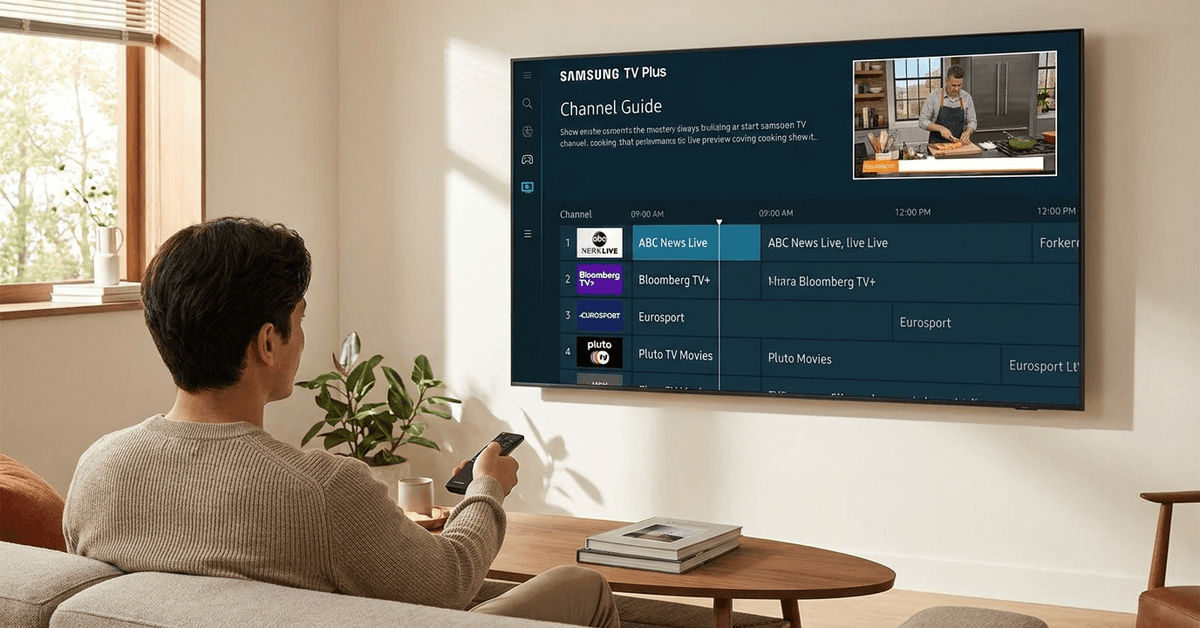
- Bloomberg TV+ for global business news.
- ABC News Live for up-to-date US affairs.
- Weather Network for climate updates.
Sports Coverage
Sports fans may enjoy live coverage or highlight reels. Channel examples could include:
- Eurosport for European events.
- Stadium for US sports highlights.
- SportStak for niche and local matches.
Movies and Entertainment
Movie channels cycle through a catalog of films and shows. Selected examples are:
- Pluto TV Movies with rotating film titles.
- The Movie Hub for classics and new releases.
Lifestyle and Reality
Lifestyle content is also widely available on Samsung TV Plus. Some highlight channels are:
- TasteMade for cooking inspiration.
- Home Refresh for decor tips.
Kids’ Programming
Families can find child-friendly options. These commonly include:
- Toon Goggles for animated content.
- Moonbug Kids for preschoolers.
Navigation and Personalization Features
Samsung TV Plus features an intuitive program guide. Users can scroll and preview current as well as upcoming shows.
Personalization options are fairly simple at this time. Still, users can:
- Favorite channels for quick access.
- Set reminders for upcoming programs.
- Hide unwanted channels from the main guide.
Supported Samsung Devices
The service appears natively on more recent Samsung TVs, such as QLED, Crystal UHD, and The Frame models. Mobile support keeps expanding too.
Examples of current device compatibility include:
- Samsung Smart TVs (2016+)
- Samsung Galaxy smartphones (selected regions)
- Samsung Smart Monitors
Older TV models may not support Samsung TV Plus. Checking the official Samsung site or your device’s settings can confirm eligibility.
User Experience: Ads and Monetization
Since Samsung TV Plus is offered free, advertisements do appear. These ad breaks are similar to those on traditional television but are generally not excessive.
Ads allow the service to keep channel access free. Users cannot remove ads, as the platform relies on this optimized monetization approach for ongoing content updates.
Comparison with Other Free Streaming Apps
Samsung TV Plus often competes with apps such as Pluto TV and Tubi. There are a few notable differences worth considering.
| Platform | Device Integration | Ad Frequency | Content Variety |
|---|---|---|---|
| Samsung TV Plus | Direct on Samsung TVs | Moderate | High |
| Pluto TV | Downloadable App | Moderate | Very High |
| Tubi | Downloadable App | Higher | High |
Tips for Maximizing Your Samsung TV Plus Experience
Samsung TV Plus offers a wide range of live channels and on-demand content. Organizing the service and keeping your device updated can make browsing faster and help you discover more programs that match your interests.
Sort Channels by Category
Browse channels by categories such as news, movies, entertainment, sports, or lifestyle. This reduces scrolling and makes it easier to find suitable content quickly.
Save Your Favorite Channels
Bookmark frequently watched channels for easier access later. A personalized favorites list can save time and keep preferred programs within reach.
Keep Your TV Updated
Install firmware and software updates regularly. Updates may improve performance, fix technical issues, strengthen security, and introduce new features or channels.
Explore On-Demand Content
Check the On Demand section instead of relying only on live channels. It may include movies, series, documentaries, and programs that can be watched at a convenient time.
Review the Channel Lineup
Available channels can change over time and vary by region. Checking the lineup occasionally may reveal newly added content that you would otherwise miss.
Legal and Privacy Considerations
Samsung TV Plus operates under local broadcasting, copyright, and streaming regulations.
Because licensing agreements differ by country, the available channel lineup may change depending on the user’s region. Some programs may also be added or removed as distribution rights are updated.
Regional Licensing Rules
Channels and shows are selected according to regional copyright permissions. Content available in one country may not appear in another, even when viewers use the same type of Samsung device.
Data Collection and Recommendations
Samsung may collect certain viewing or device information to improve recommendations, measure service performance, and support advertising. The exact data collected can depend on the device, account settings, and local privacy laws.
Safe Use Practices
Following safe use practices can help protect your privacy, improve account security, and give you greater control over your Samsung TV Plus experience.
Review the Privacy Policy
Read Samsung’s current privacy policy before creating an account or sharing personal details. This helps you understand how information may be collected, stored, and used.
Adjust Privacy Settings
Check your Samsung TV settings to manage tracking, viewing information, and personalized advertising. Review these options regularly, especially after software updates or changes to the service.
Conclusion
Samsung TV Plus creates a valuable alternative for anyone seeking free live and on-demand TV content. The absence of subscription fees and account requirements helps users stay flexible.
Channel variety keeps expanding, and regional customization makes the platform adaptive. While ads are present, the trade-off is immediate access to a mix of news, entertainment, and lifestyle channels.
With compatibility across an increasing range of Samsung devices, TV Plus remains a solid choice for content discovery. Keeping the TV firmware current and personalizing the channel list can further improve the overall experience.